Icon of program: menuApp

menuApp for Windows

  • Free
  • 4.9
    7
  • 7.4K
  • V1.04
Free Download for Windows

View an ad to download for free

A faster way to launch programs and open files

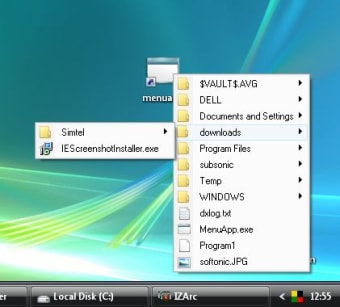
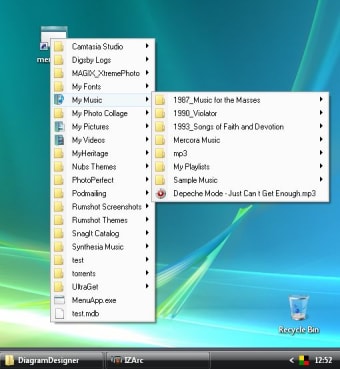
menuApp is a simple tool that enables you to access your more frequently used applications and files in a faster way.

Top Recommended Alternative
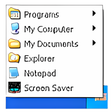
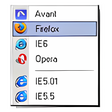
In a way it's not an application in itself, because it works differently depending on which folder you save it to.

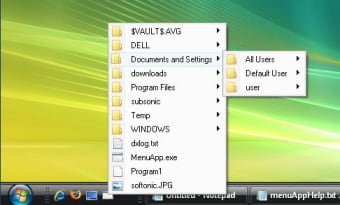
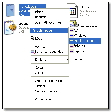
So, if you copy the EXE file to the My Documents folder, menuApp will display a floating menu when you double click on it, grating you immediate access to all the contents in that file.

What I would suggest then is saving menuApp to the folder you use more frequently (or maybe creating a specific folder for the program, including shortcuts for your favorite programs) and then creating a link to menuApp in the desktop or the Quick Launch bar.

Thus you'll always have access to your frequently used apps and files, just a click away.

It may not be the easiest-to-configure launcher in the world, but if you're looking for a quick, straightforward tool to access your favorite programs, menuApp does the trick.
  • Pros

    • Can point to any folder
    • Very light on resources
  • Cons

    • Not easy to configure
 0/3

App specs

  • Developer

  • License

    Free

  • Version

    1.04

  • Latest update

  • Platform

    Windows

  • OS

    Windows 98 SE

  • Language

    English

  • Downloads

    7.4K

    Last month's downloads

    • 9
  • Size

    32.02 KB

Program available in other languages


Icon of program: menuApp

menuApp for PC

  • Free
  • 4.9
    7
  • 7.4K
  • V1.04
Free Download for PC

View an ad to download for free


User reviews about menuApp

Have you tried menuApp? Be the first to leave your opinion!

Add review

You may also like

Alternatives to menuApp

Explore Apps

Latest articles

Laws concerning the use of this software vary from country to country. We do not encourage or condone the use of this program if it is in violation of these laws.

Softonic

Is menuApp safe?

100/100

Score result: Clean

This file passed a comprehensive security scan using VirusTotal technology. It is safe to download.

  • Virus free
  • Spyware free
  • Malware free
  • Verified by Security Partners

    VirusTotal logo

Scan Info

Last scan
Monday, April 22, 2024
Scan provider
VirusTotal · Full report

File Integrity

File
menuApp104.zip
SHA256
81269f10366761ac41902e71fd0ced1687ea4a4d2883f16e2caaf34446d4accf
SHA1
e03310af9f3f8fbdebd29c32805b418e375e2cd8

Softonic security commitment

menuApp has been thoroughly scanned by our advanced security systems and verified by industry-leading partners. This file comes from the official developer and has passed all our security checks, showing no signs of viruses, malware, or spyware. For more information, visit our Security and Trust Center

Signed in to Softonic as